· MeshWorks
MeshWorks 1.5: less searching, more engineering
A clearer BOM workspace, useful context and one engineering manual.
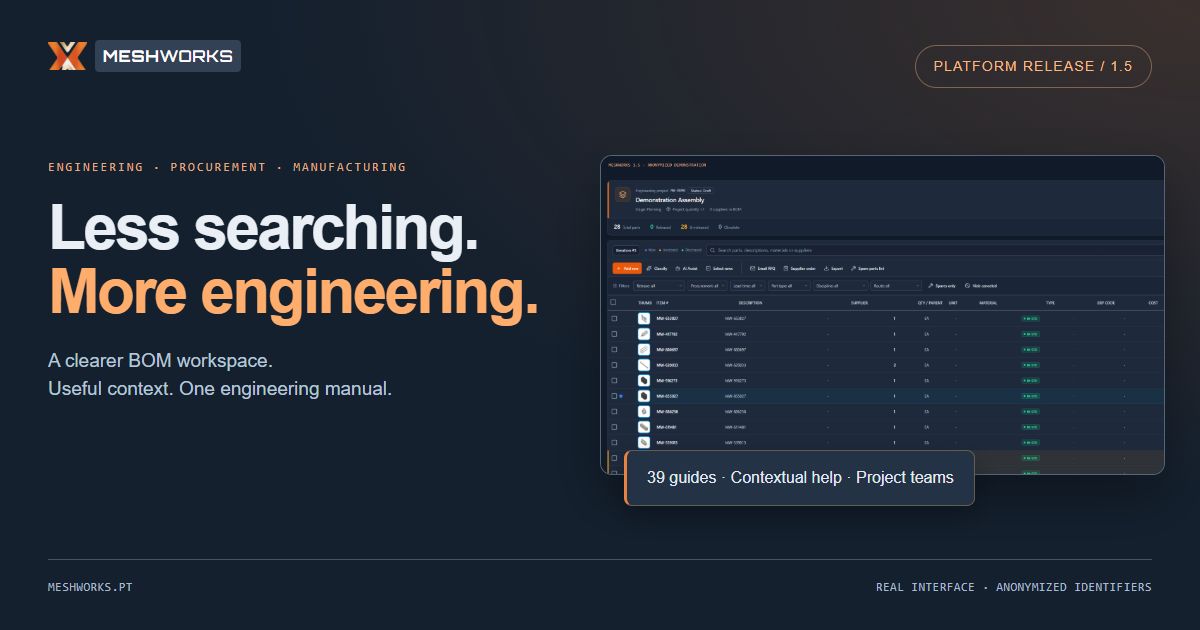
A clearer project overview. Actions grouped around the work. Documentation that explains what to do and how to check the result.
MeshWorks 1.5 refines the daily engineering workspace while keeping BOM, purchasing and manufacturing connected to the same project record.
Project context, at a glance
The redesigned BOM header brings the project identity, status, stage, quantity and release summary together. Project Hub, the dossier and BOM updates stay within reach.
Editing, procurement, exports and view controls now have distinct places in the toolbar. The fixed purchasing panel remains available alongside the BOM, so required, ordered and remaining quantities can be reviewed together.
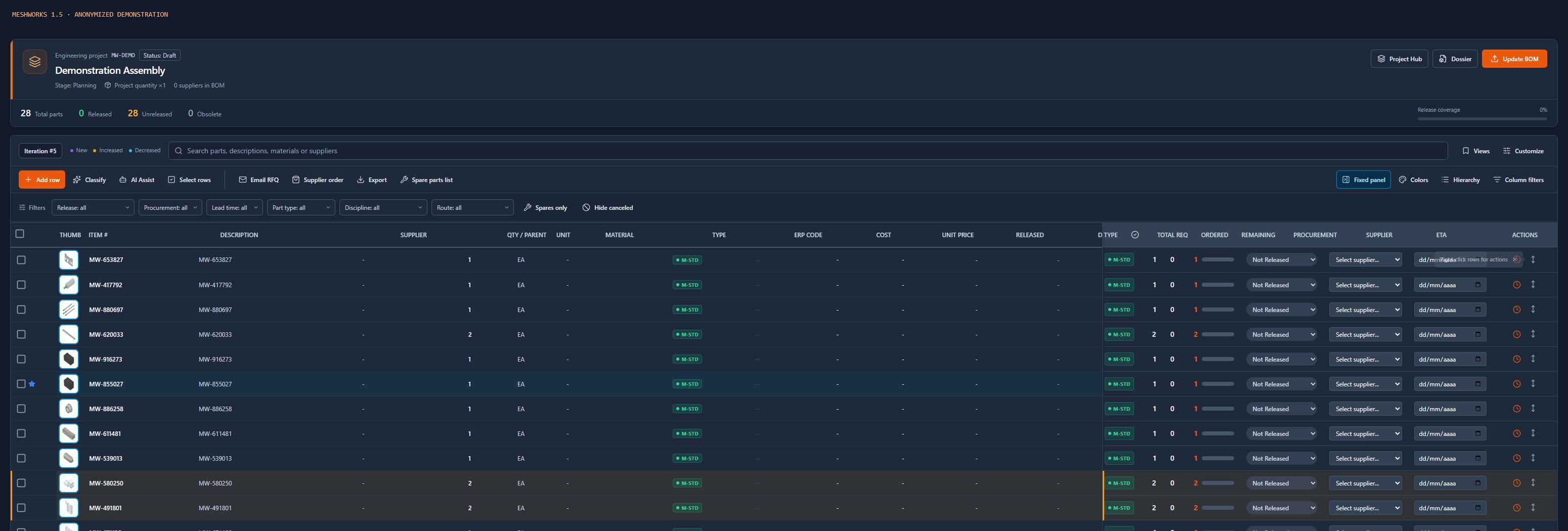
Product interface shown with anonymized demonstration identifiers. No customer BOM was renamed for these images.
Actions where the work happens
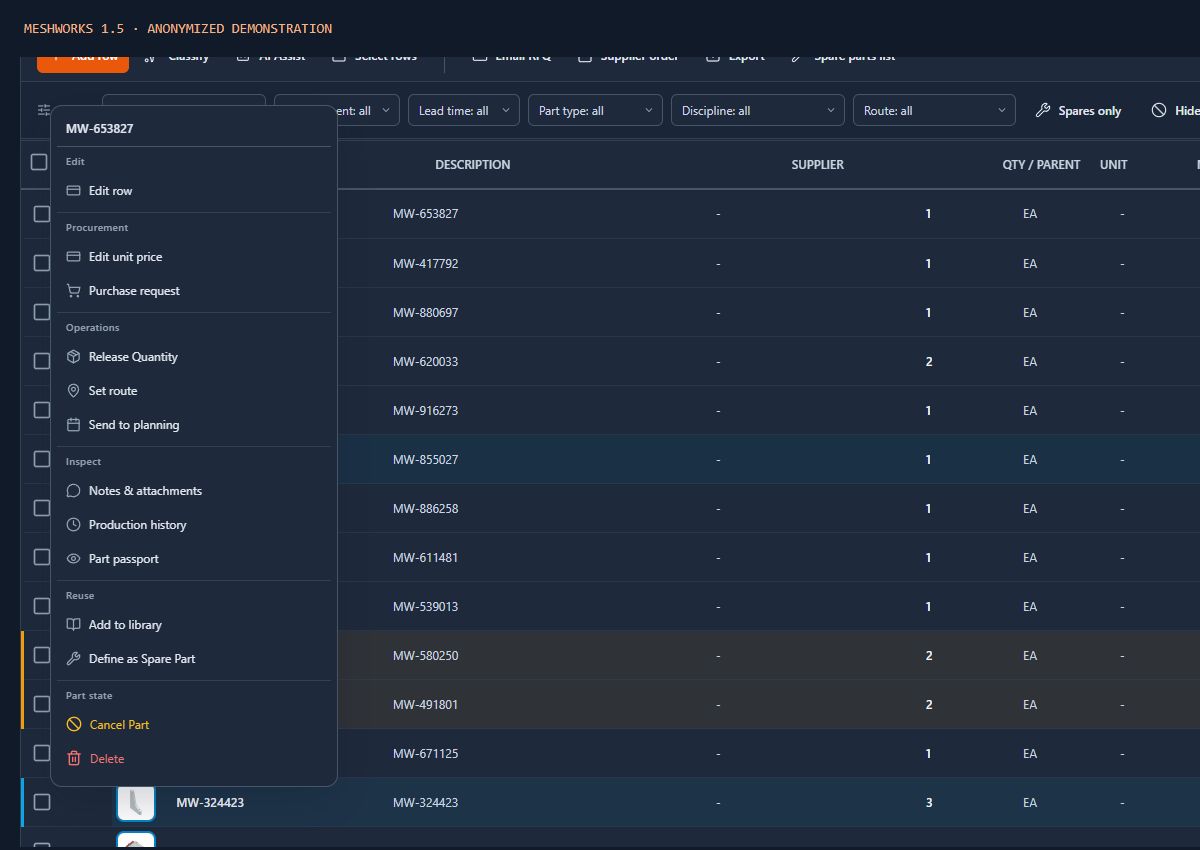
Selection and row-context actions are grouped by purpose: editing, procurement, operations, inspection, reuse and part lifecycle. Contextual help explains the action's scope and consequences, with keyboard support and tooltips that remain inside the screen.
A project-card shortcut opens reusable team assignment for the intended project without switching the BOM currently being reviewed. Existing role and plan restrictions remain in place.
A calmer light theme
Mid-tone backgrounds, softer panels and stronger text and field boundaries replace large areas of bright white. The aim is practical: make dense engineering information easier to scan through a working day.
One engineering manual
Docs, Help Center and the integration-documentation entry now share one searchable manual: 39 guides covering 34 application views. Each guide identifies where to work, the procedure, what to verify and the relevant limits. The workspace Docs link opens help for the current module.
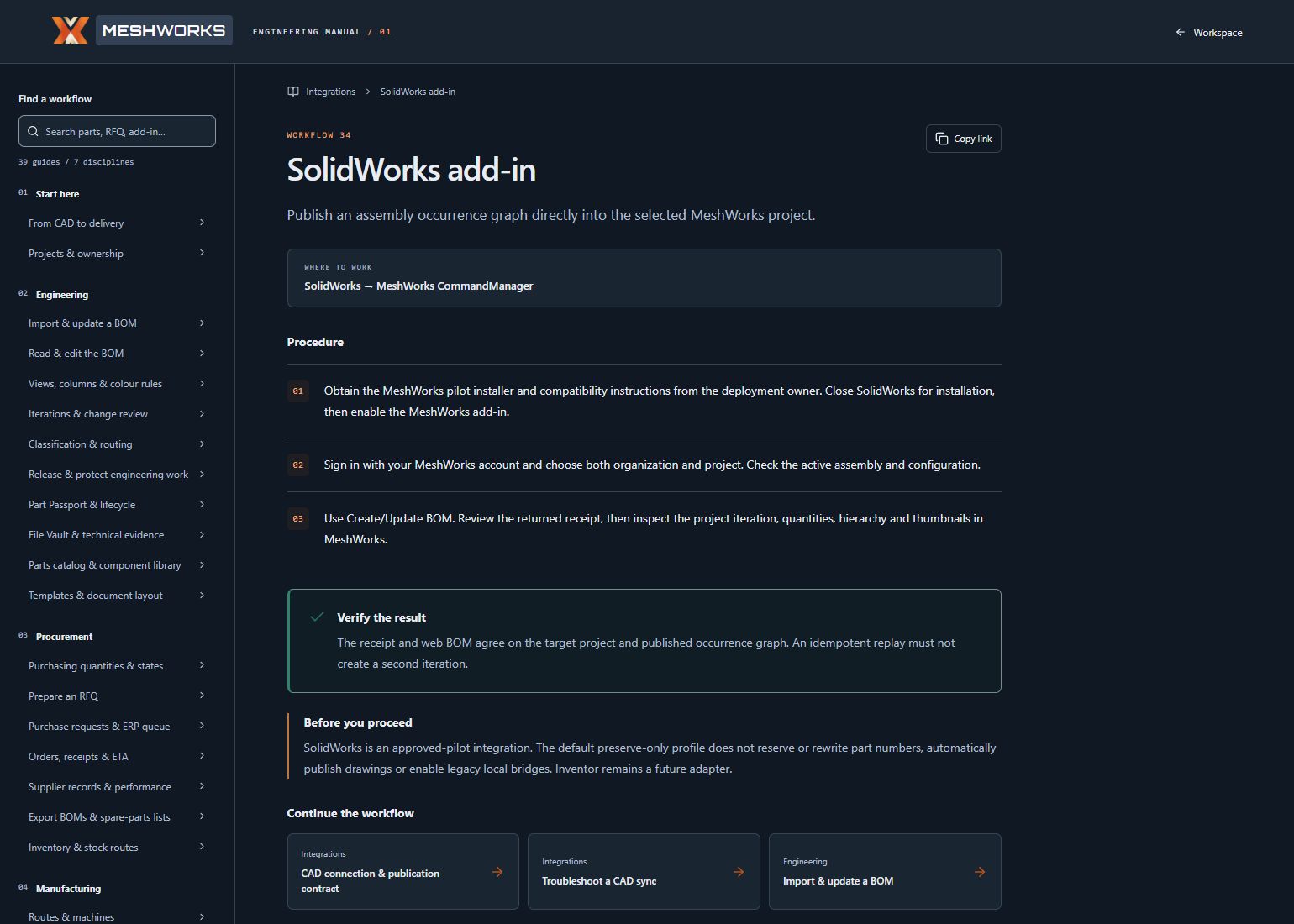
The manual also documents the existing SolidWorks integration: selecting an organization and project, publishing the assembly BOM, checking the receipt and inspecting thumbnails separately.
CAD context, carried through
The SolidWorks pilot connects assembly context with the MeshWorks project. Its default preserve-only workflow reads existing CAD identities rather than automatically renumbering the source assembly.
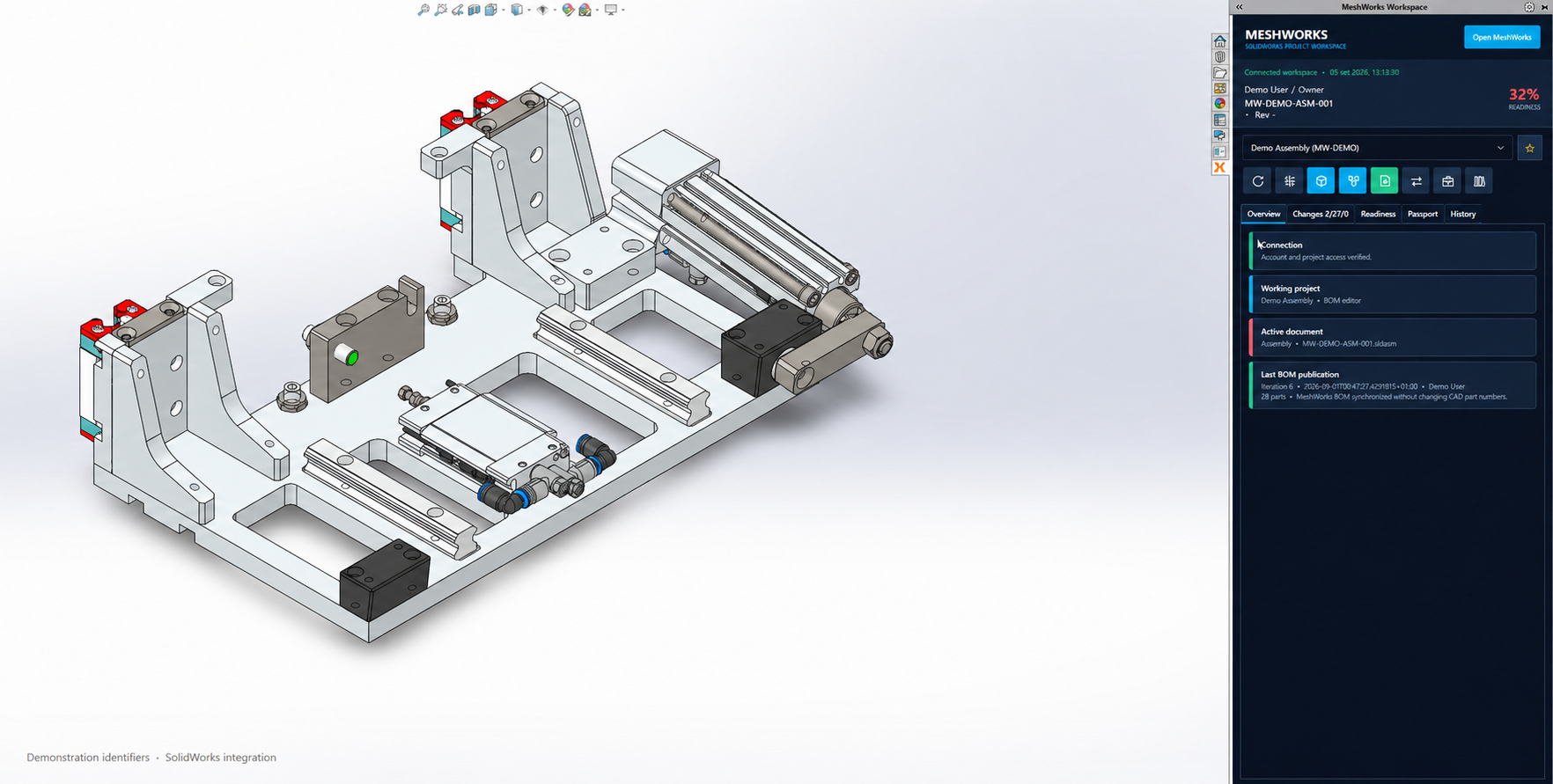
Existing SolidWorks integration illustrated from an earlier capture, edited to replace identifying text. This platform release does not announce a new add-in version or Inventor availability. Pilot installation and compatibility remain deployment-specific.
Explore version 1.5
Open the workspace and use Docs from the module you are working in. Start with the project overview, inspect the grouped actions and follow a guide through to its verification step.
Less searching. More engineering.